Quotes and tax invoices without the double handling
Price the job once. The same lines flow from quote to job to invoice, with GST worked out and every payment recorded.
From price book to paid invoice in four steps
- Set up your price bookAdd stock items with sell prices and set your standard labour rate.
- Build the quotePick lines from the price book and add notes and a validity date. GST is worked out for you.
- Win the jobMark the quote won and it becomes a job you can schedule.
- Invoice and get paidRaise the invoice from the job and record payments as they arrive.
Quote with your own price book
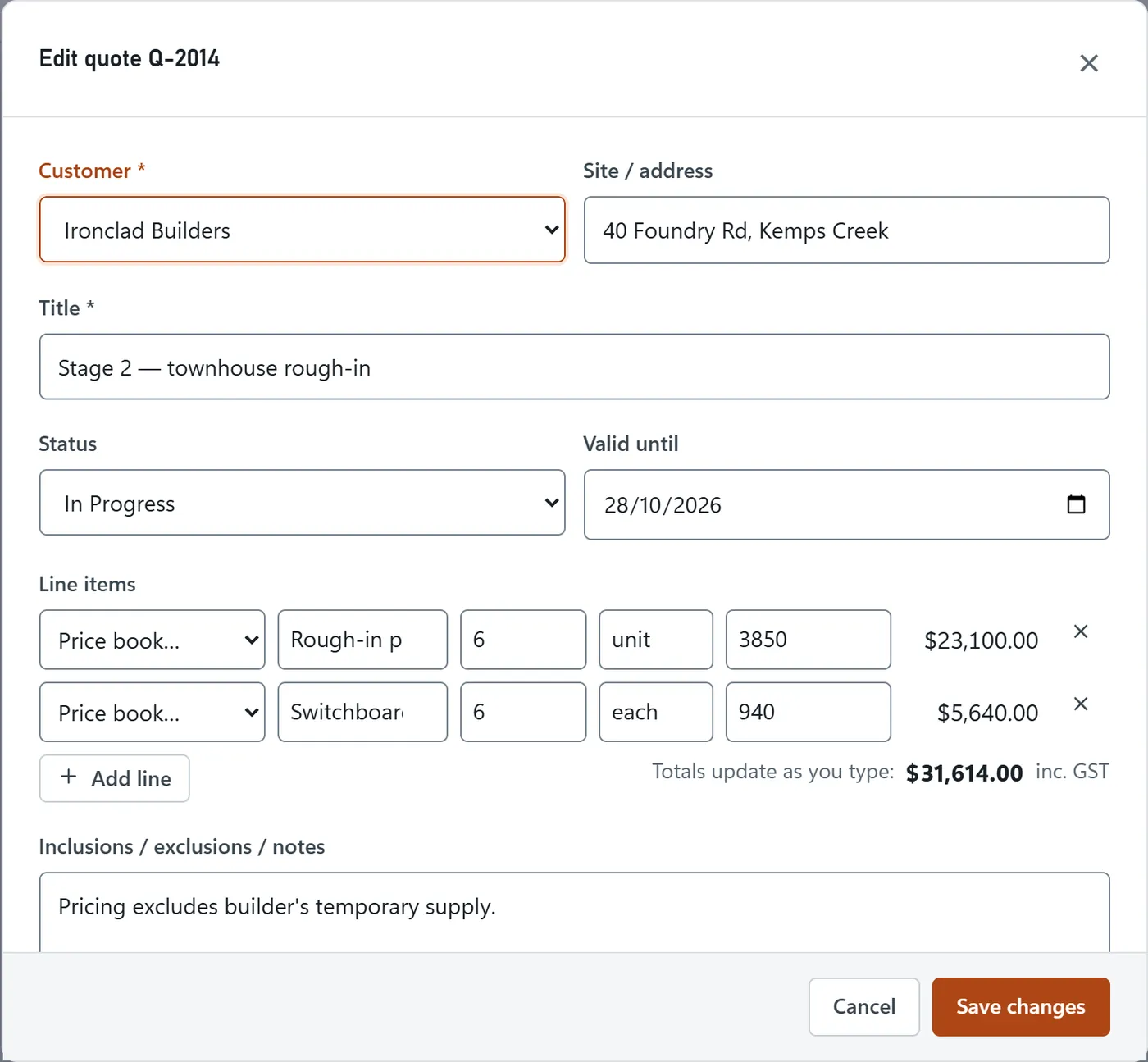
Pick stock items or your labour rate for each line, adjust quantities and let BackSight add up the subtotal, GST and total.
- Price-book lines from inventory and your labour rate
- Validity dates and notes on every quote
- Won quotes become jobs, lost quotes are recorded
Invoice the job without retyping it
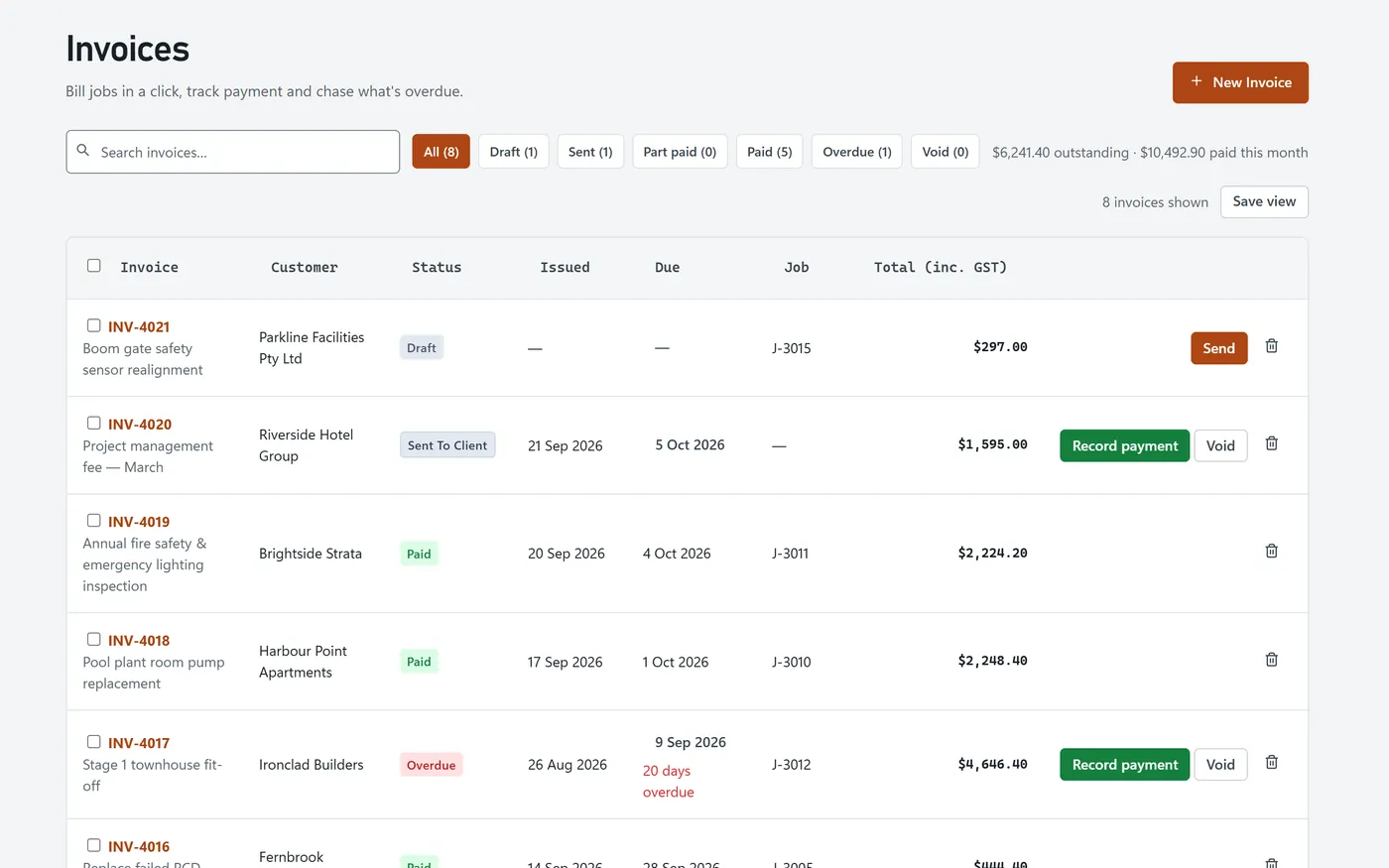
Raise the invoice from the job and print or save it as a PDF. Record part payments and credit notes against it.
- Draft, sent, part-paid, paid, overdue and void statuses
- Record payments and keep the payment history
- Credit notes when something needs correcting
See what’s owed, and how late it is
Outstanding and overdue totals sit at the top of the invoice list, and the aged receivables report groups what’s owed by how overdue it is.
- Overdue invoices flagged with days overdue
- Aged receivables: current, 1–30, 31–60, 61–90 and 90+ days
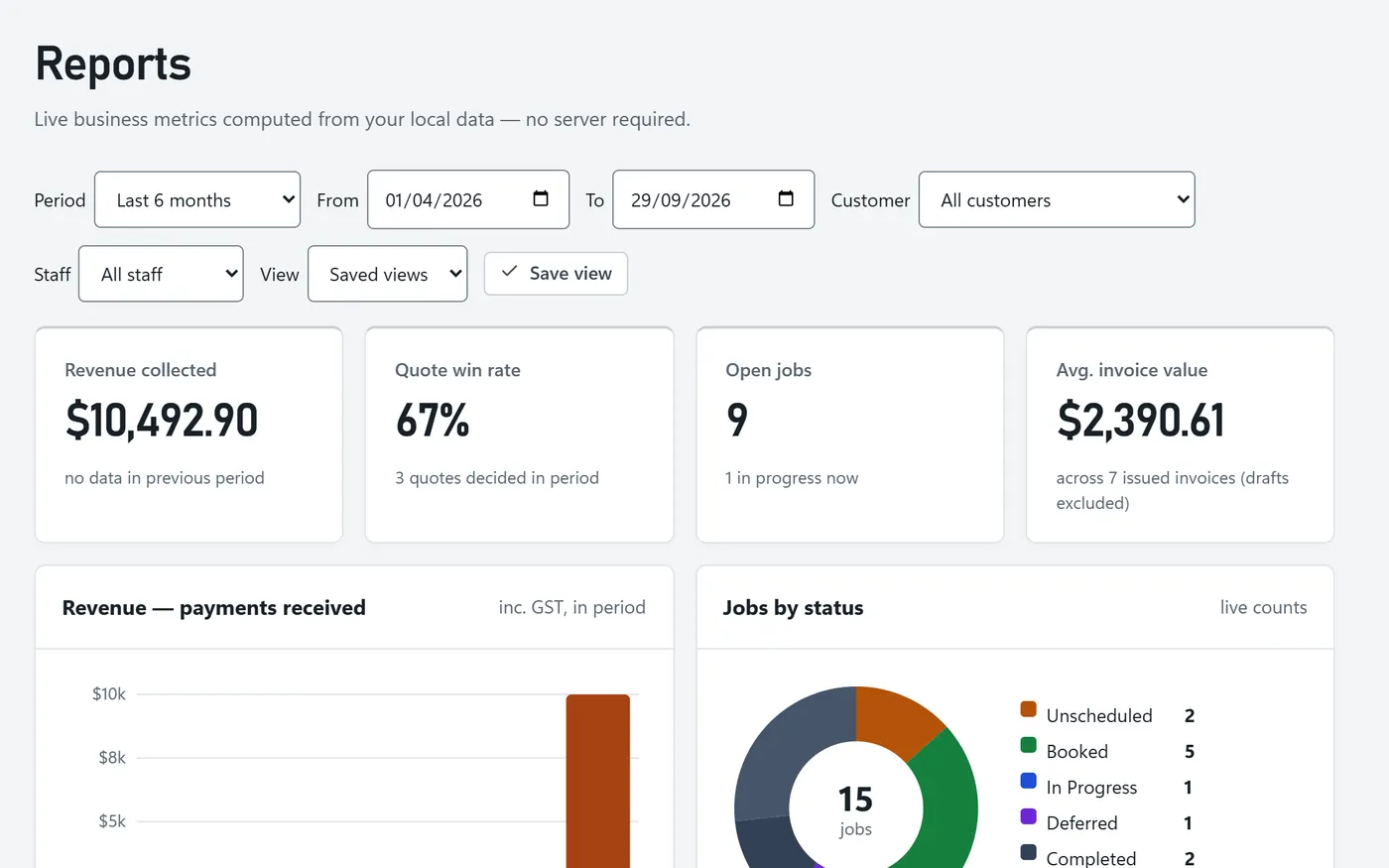
- Revenue by month in reports
Related features
Progress claims
Bill a big job in stages and track retention.
Timesheets
Turn logged hours into accurate labour costs.
For electricians
Quote rough-ins and fit-offs from your price book.
Frequently asked questions
Can I use my own prices?
Yes. Your inventory items and your standard labour rate appear in the price book on every quote and invoice line, and you can type any line by hand.
Does BackSight produce tax invoices?
Yes. Invoices show GST at 10% and totals including GST, and the invoice template can include your business name, ABN, address and payment terms.
Can I record part payments?
Yes. Record each payment against the invoice; the balance and status update, and the payment history stays on the invoice.
How do I send a quote or invoice?
Print it or save it as a PDF from your browser, using your own document template. BackSight doesn’t send emails yet, in the demo or in pilot accounts. Sending in the demo is only simulated.