Progress claims and retention, handled job by job
Set up a claim schedule against the contract value, claim each stage as the work is done and keep retention under control.
From contract to final claim in four steps
- Set the contractEnter the contract value and the retention percentage for the job.
- Add the stagesSplit the contract into stages by percentage or fixed amount.
- Claim as you goClaim each stage when it’s done. BackSight raises the invoice less retention.
- Release retentionThe final claim releases the retention withheld along the way.
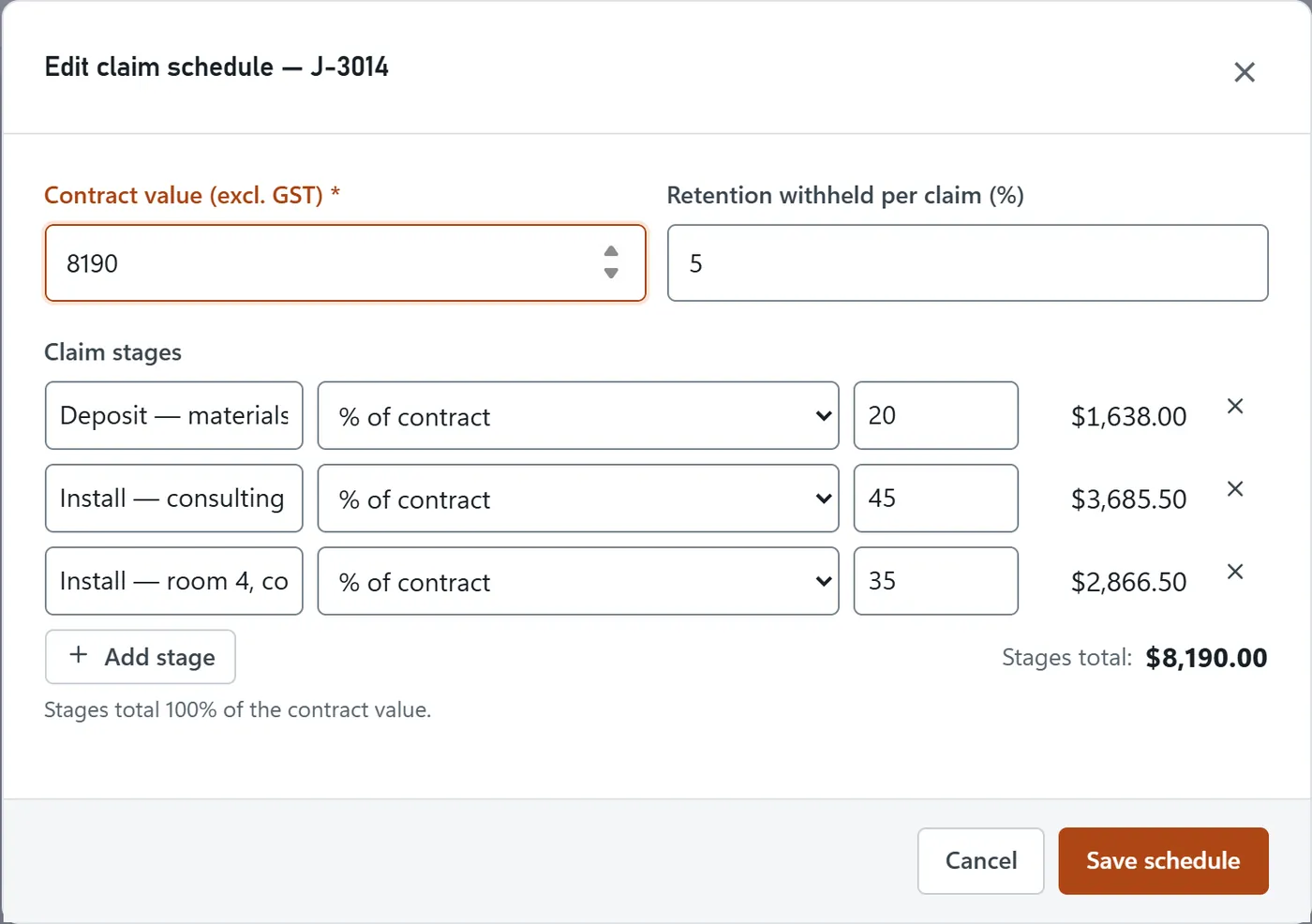
Set the stages once
Enter the contract value, then set each stage as a percentage or fixed amount. BackSight calculates the claims.
- Percentage or fixed-amount stages
- Amounts shown excluding GST
- Stage names can be changed at any time
Claim a stage when the work is done
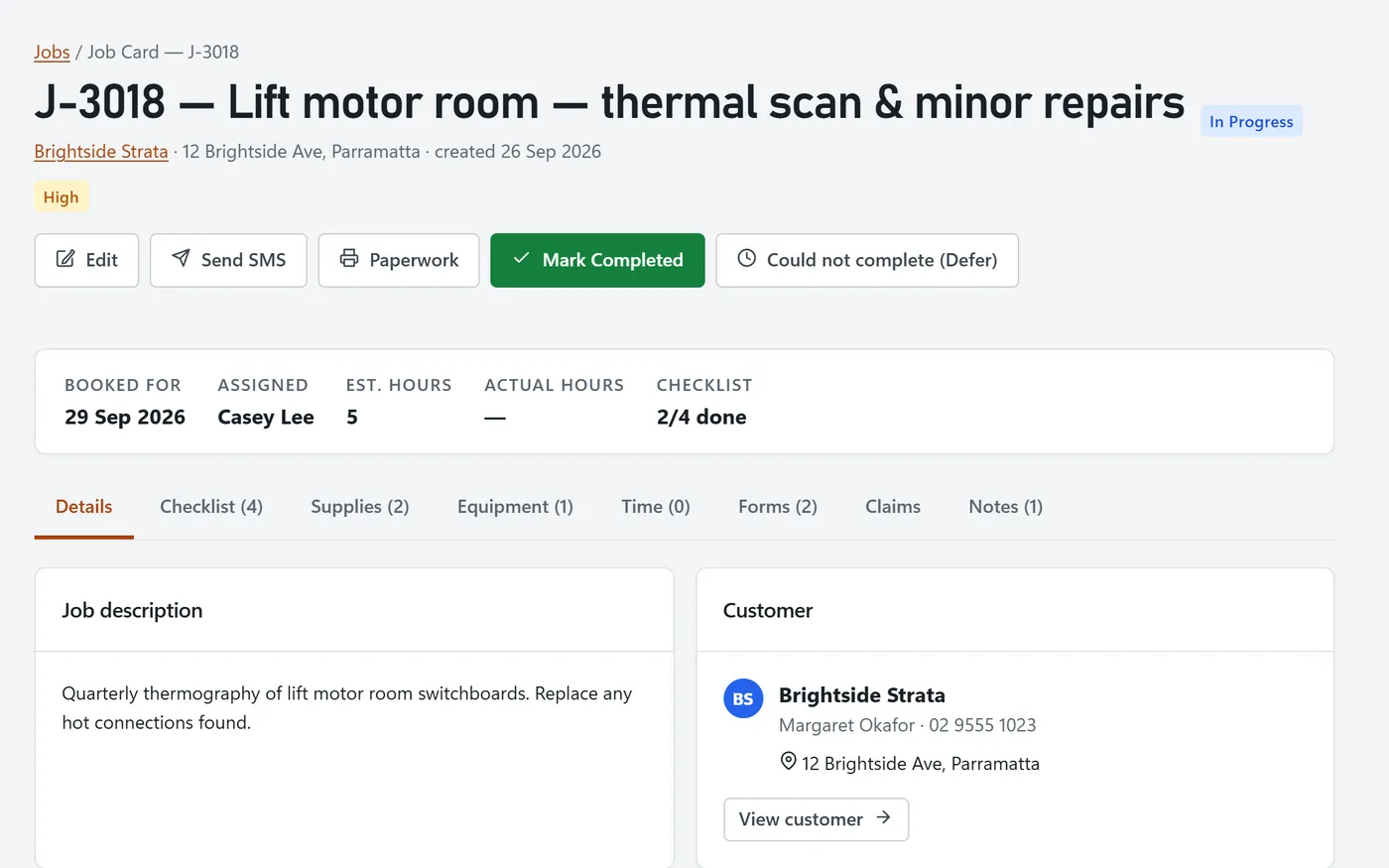
Each stage is claimed once. BackSight raises the invoice for the stage, less retention, and updates the claimed-to-date total.
- One click raises the stage’s invoice
- Claimed to date, retention withheld and remaining
- Claim several ready stages together
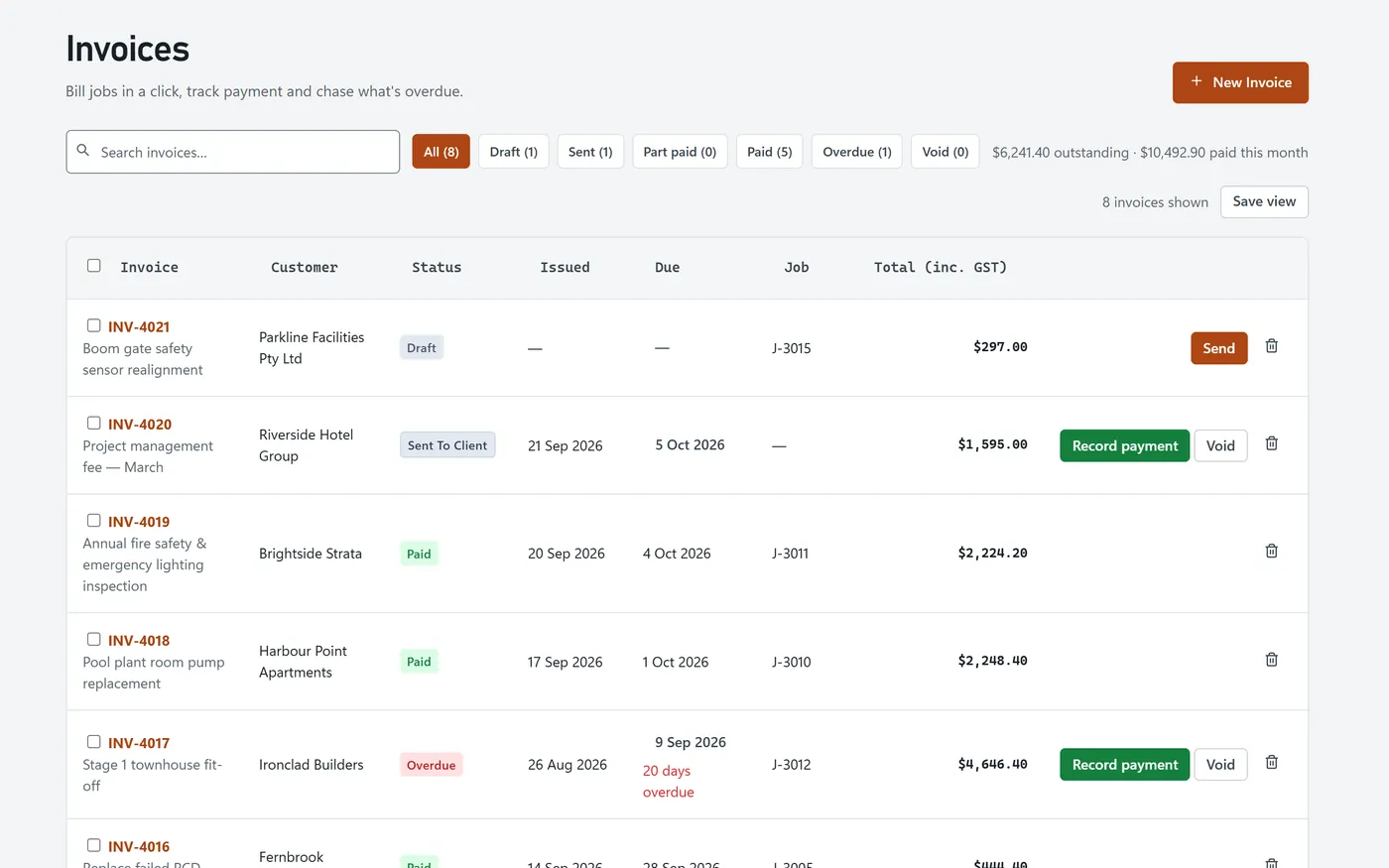
Retention held and released
Retention withheld on each claim is tracked on the job and on the dashboard, and released through the final claim.
- Retention percentage per job
- Released on the final claim
- Over-claims blocked automatically
Related features
Quoting & invoicing
Standard invoices, payments and credit notes.
For electricians
Stage claims for rough-in, fit-off and completion.
For HVAC teams
Deposits and staged payments on bigger installs.
Frequently asked questions
What is a progress claim?
A progress claim bills part of a contract as stages of the work are completed, instead of one invoice at the end. It’s common on construction and larger install jobs.
How does retention work in BackSight?
You set a retention percentage on the job’s claim schedule. That percentage is withheld from each claim, tracked on the job and released on the final claim.
Can a claim schedule add up to more than the contract?
No. BackSight refuses a schedule that exceeds the contract value, and it won’t let claims to date go over the contract either.
Is BackSight a payment-claim or legal compliance tool?
No. BackSight helps you schedule, raise and track progress-claim invoices. Security of payment rules differ between states, so check the requirements that apply to your contracts.