Job scheduling software that shows the whole week at a glance
See every team member’s jobs and booked hours, spot overloaded days before they happen, and keep unscheduled work in view until it’s booked.
From new job to finished job in four steps
- Capture the jobLog it from an enquiry or a won quote. It waits in the unscheduled list until it has a date.
- Book itDrag it onto the week board, or use Book to set the day and the team member.
- Check the dayOpen the roster to spot gaps and double-bookings before the day starts.
- Get it doneTick off the checklist, log time against the job and mark it complete.
Plan the week with drag and drop
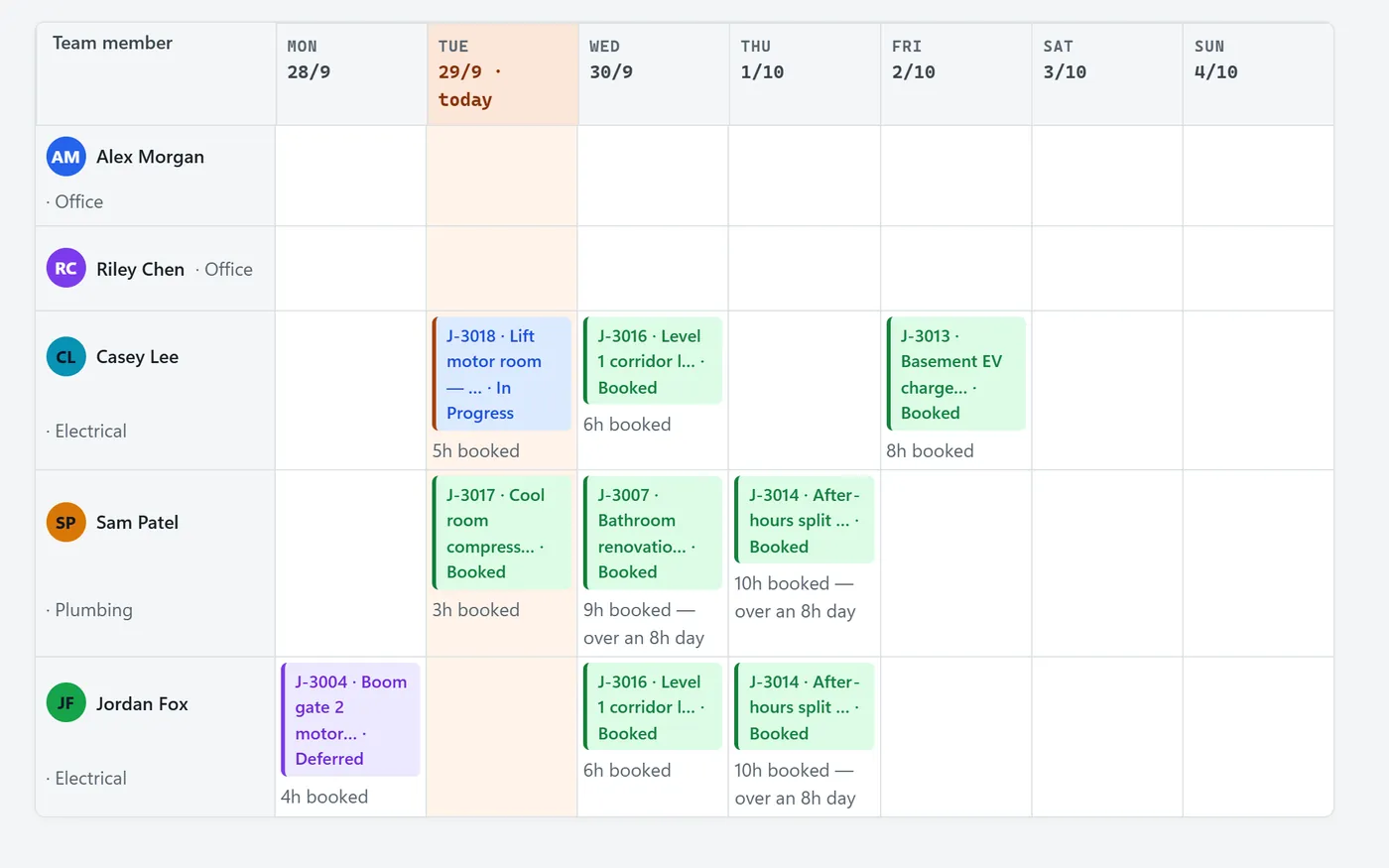
Each row is a team member and each column a day. Jobs show their number, title and status colour, with the booked hours underneath.
- Drag jobs between days and people
- Unscheduled jobs waiting for a booking
- Booked hours per day, with overloaded days flagged
See the day hour by hour
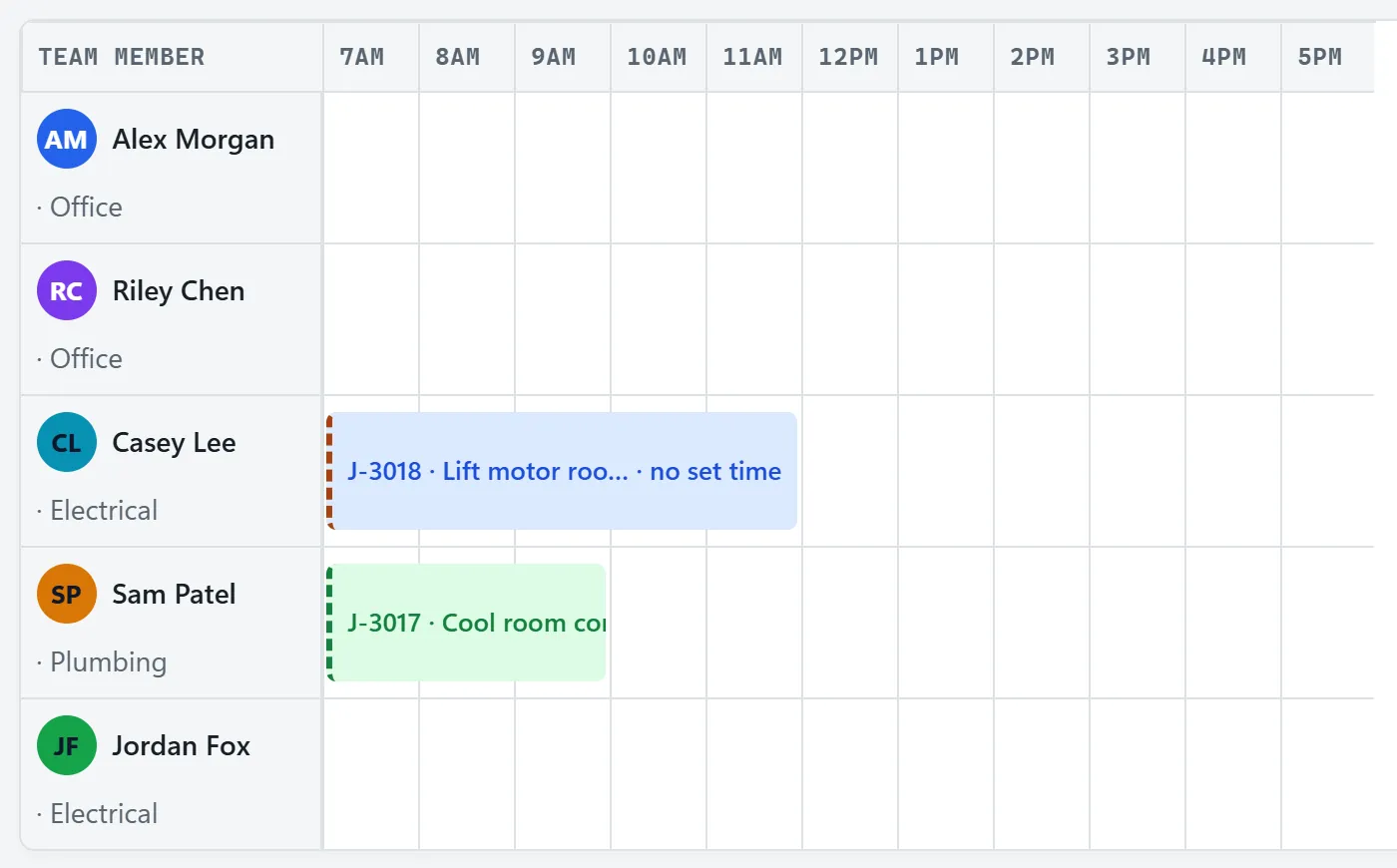
The roster lays out each person’s bookings against the clock, so gaps and clashes are obvious before the day starts.
- Start times and durations for every booking
- Office and field staff side by side
- Quick links through to each job card
Whiteboard, Gantt and suburb views
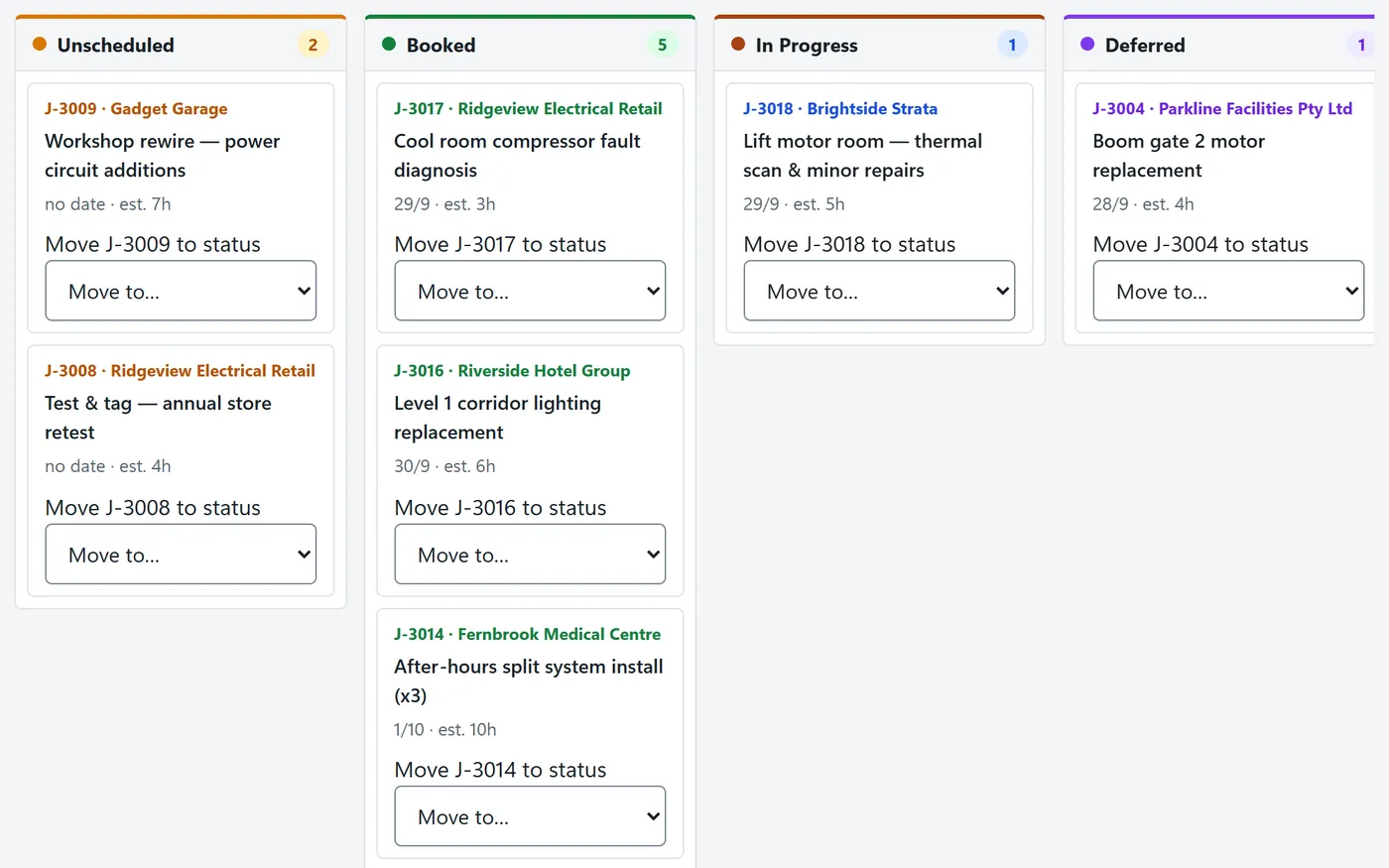
Switch views to answer a different question: what state is every job in, how do long jobs overlap, and which jobs are in the same area?
- Whiteboard: jobs grouped by status
- Gantt: multi-day jobs across the month
- Suburb view: jobs grouped by area to plan runs
Related features
Timesheets
Hours logged against the scheduled jobs, approved weekly.
Quoting & invoicing
Won quotes become jobs you can schedule.
For HVAC teams
Plan multi-day installs and urgent breakdowns together.
Frequently asked questions
Can I move a job to another day or another person?
Yes. On the week board you drag a job to a different day or team member, and unscheduled jobs can be dragged straight onto the board.
Can more than one person be assigned to a job?
Yes. A job can be assigned to several team members, and it appears in each person’s row on the schedule.
Does the schedule warn me when someone is overbooked?
The week board totals the booked hours for each person on each day and flags days that go over a standard eight-hour day.
What happens when a job can’t be finished on the day?
Mark it as could-not-complete. The job is deferred with a reason so it’s easy to find and rebook.